
Start with the action.
A Karma is the visit, job, collection or other action that matters to your business. Its form captures the details. Its story keeps the people and work together.
Your service call isn’t your sales visit. Give each kind of work the details it needs—and a shared story your team can follow.
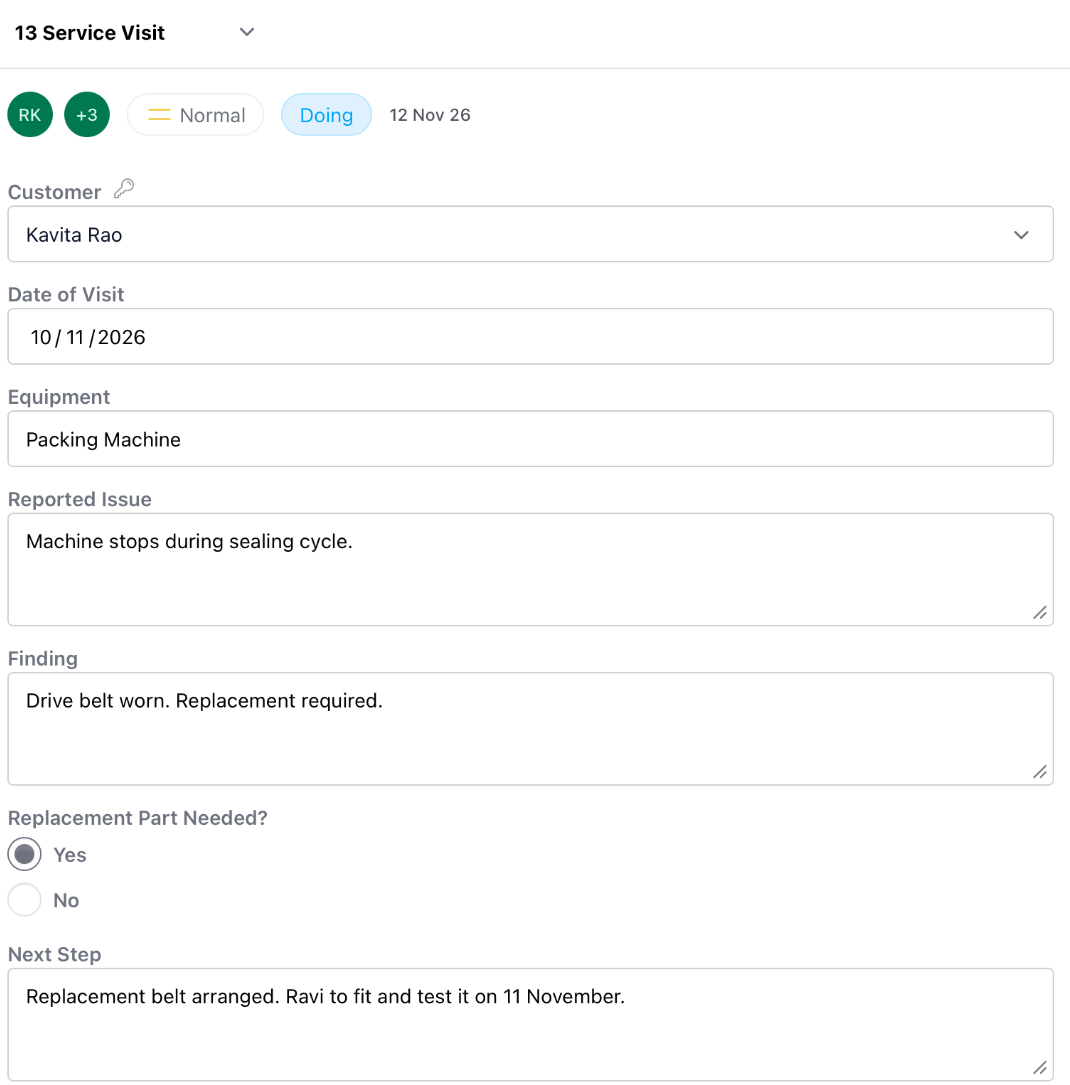
A visit needs a customer, a finding and a next step. An inspection needs a different set of details. Define the kind of work once, then give your team a useful way to record it.
A Karma is the visit, job, collection or other action that matters to your business. Its form captures the details. Its story keeps the people and work together.
Conditions set in Admin can open the next form based on a selected answer. The next information to capture follows the situation on the ground.
One person carries the responsibility. Co-Actors help. When the Karta changes, a reason keeps the handover understandable.
Open the visit to read the findings, see the next task and understand the related expense. Keep the details where the next colleague will look for them.
Demo workspace captures. Select an image to enlarge it.
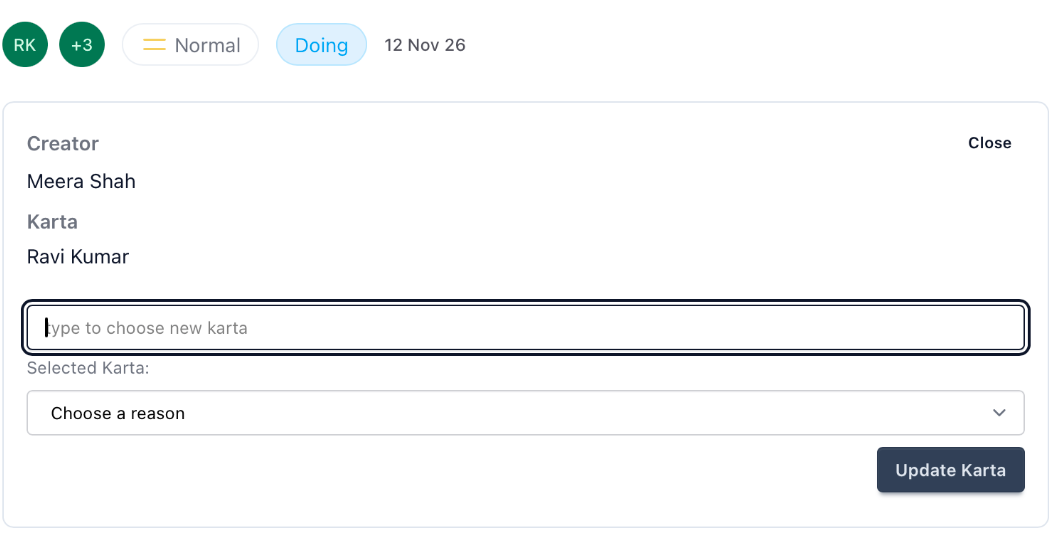
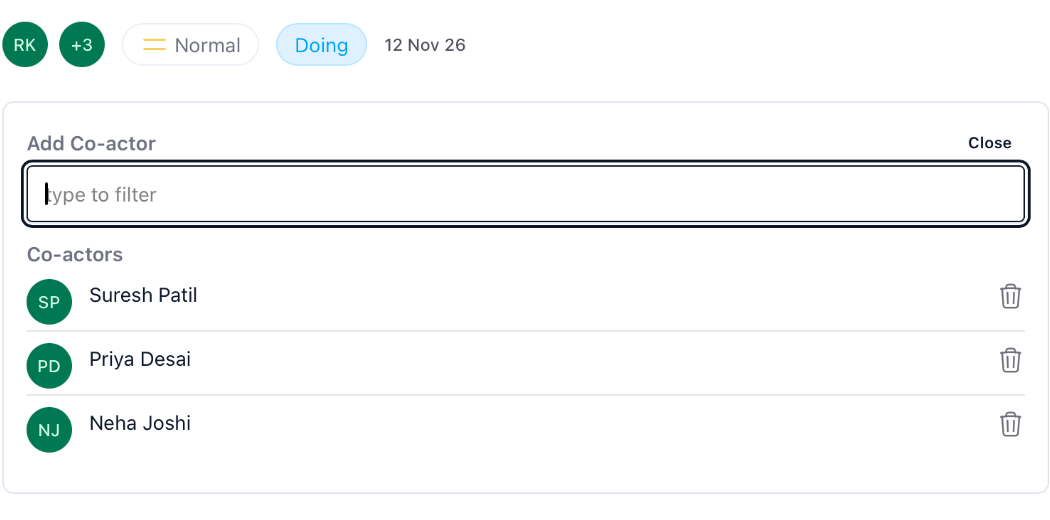
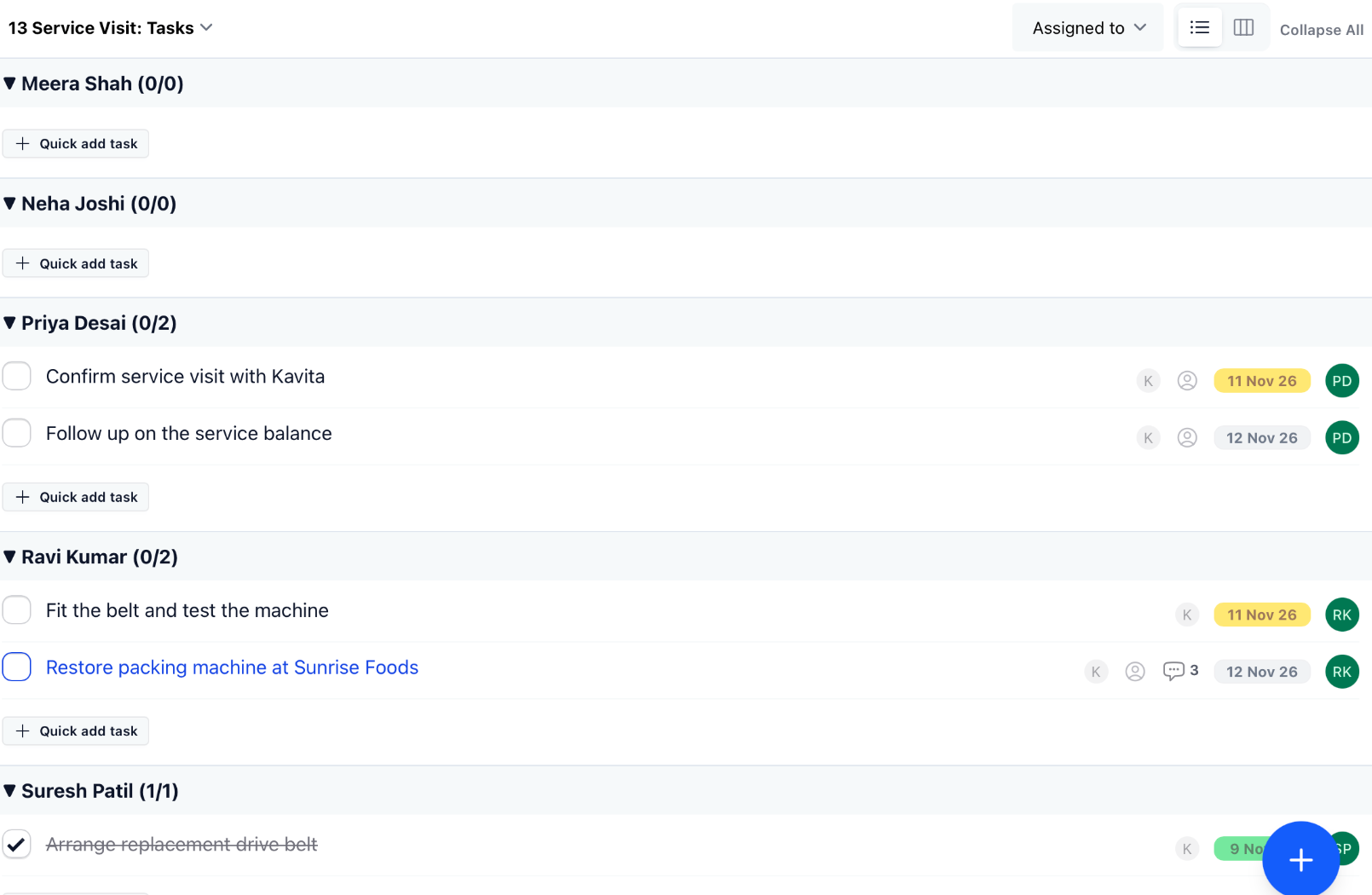
Ravi records the site visit and what he found. A replacement is needed. The next form captures the request, a colleague helps arrange the part, and the job keeps its story as people work on it.
Illustrative scenario · fictional people and amounts
Show us the work you need to capture. Let’s look at the right form and what should happen next.